01HOME
Pick up where you left off
Everything you follow sits on the home screen with the next episode on top. One tap marks it watched and the count moves on by itself.
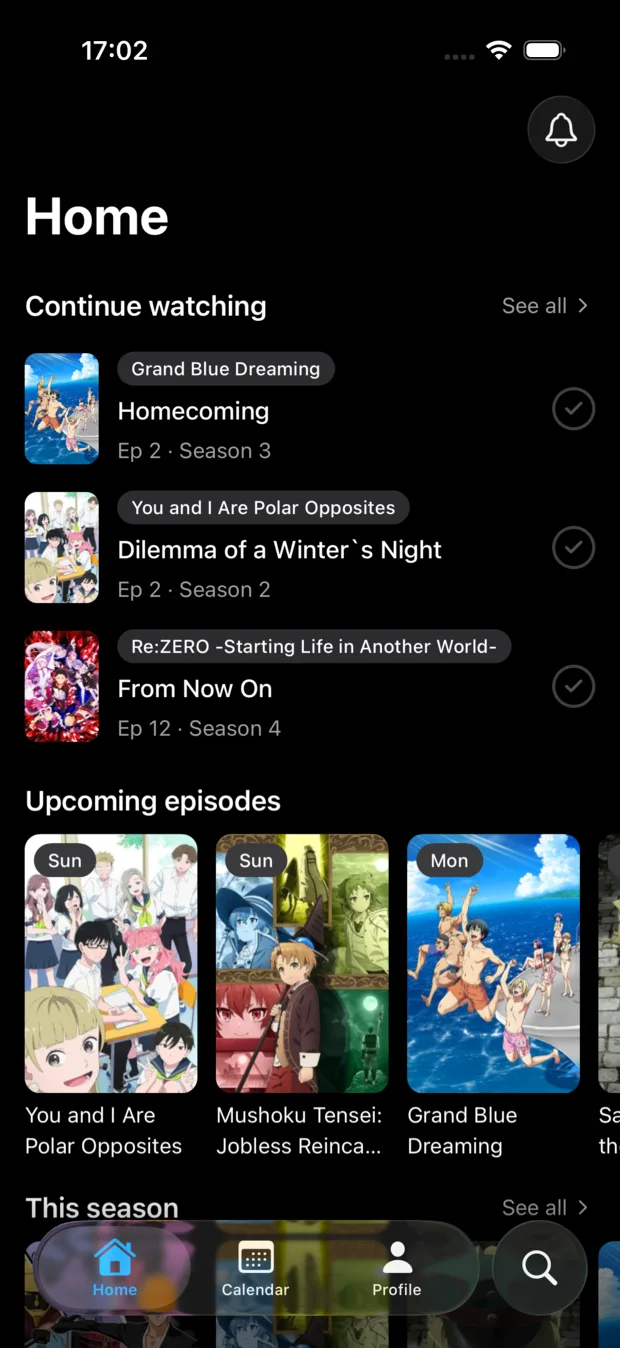
Sparky remembers where you got to in every show you follow, and tells you when the next episode is out.
Requires iOS 26.
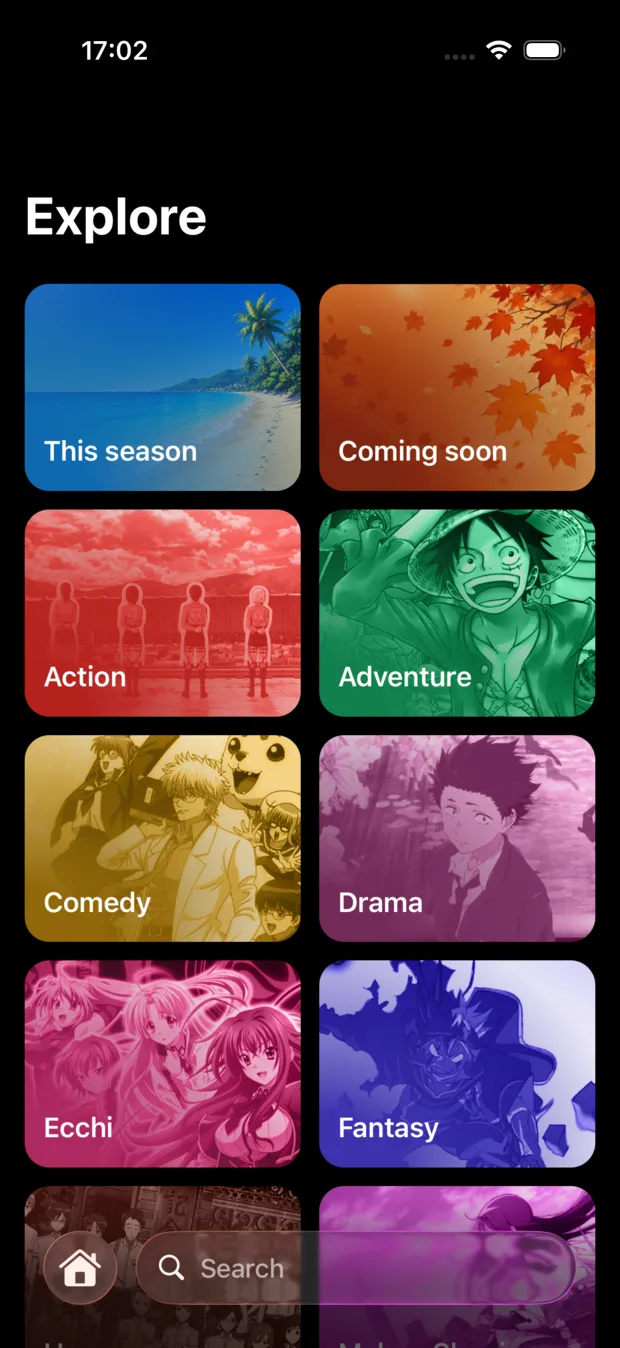
The whole catalog, updated every day




























Real captures from Sparky running on a phone.
01HOME
Everything you follow sits on the home screen with the next episode on top. One tap marks it watched and the count moves on by itself.
02CALENDAR
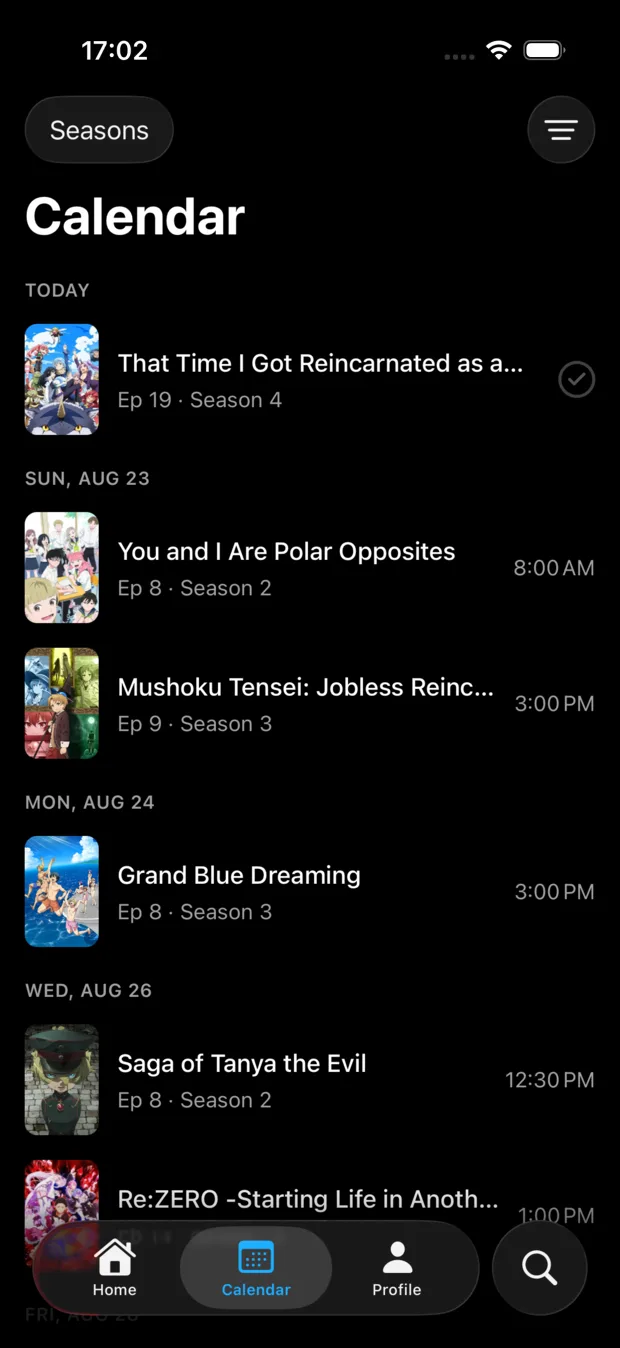
Every episode of every show you follow, laid out day by day with its airing time. When one drops, Sparky tells you.
03SERIES
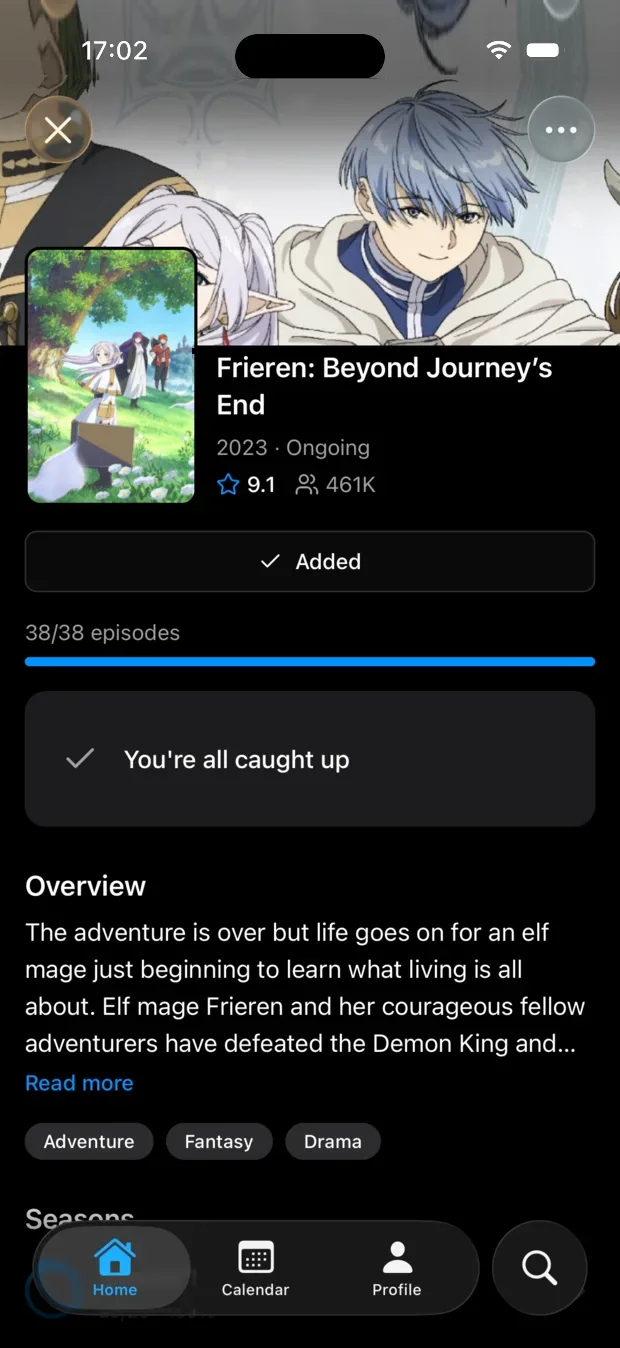
Seasons, movies, OVAs and specials sit on one page in the order you're meant to watch them. Filler episodes are flagged, so you can skip them or watch them knowing what they are.
04STATS
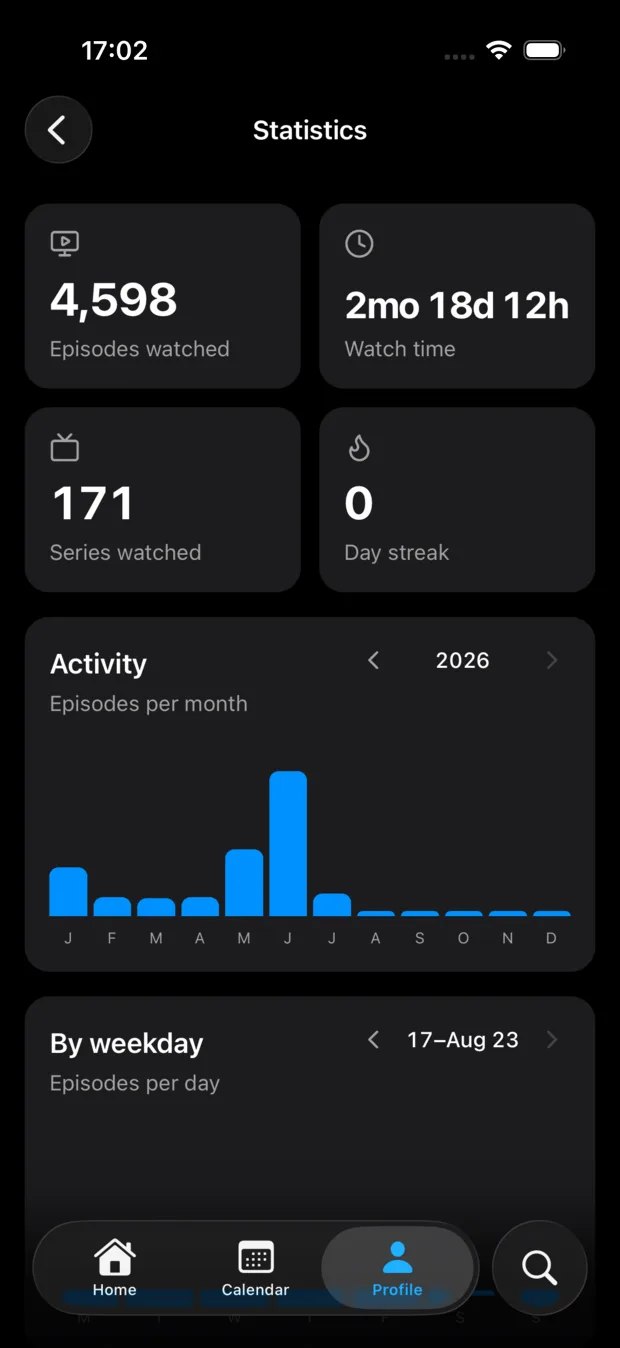
Episodes, hours, days, genres. Keep going and medals unlock behind your back, and you can pin your three best ones on your profile.
Rate a series from 1 to 10 and it drops into its row, S down to F. No dragging posters around for twenty minutes. Anyone who follows you can open your tier list, so expect an argument about what you left out of S.
S Masterpiece · A Amazing · B Great · C Good · D Okay · E Poor · F Awful
A tier list is just your ratings, laid out. This one belongs to someone with taste.
Follow the people you talk to about anime and see where they got to in a series. Your account can stay private, and you can block whoever you want.
Drop a comment or a GIF under the episode you just finished. Anything flagged as a spoiler stays covered until you tap it.
Build your own lists next to the library. The rewatch pile, the ones you dropped at episode three, whatever you need.
Sparky asks for your TV Time export the first time you open it, before you've tracked a single thing. Years of watched episodes land in one go.
Open TV Time and request your data export. They email you a .zip, usually within a day.
It sits on Sparky's welcome screen, right under the anime picker. If you skip it there, it stays in your profile.
Sparky reads it and shows you what came in. Anime and anime movies get your real progress back; anything that isn't anime is skipped and listed by name so you know what stayed behind.
One file, three taps. Nothing to copy by hand.
Yes. No subscription, no ads, nothing behind a paywall.
TV Time tracks everything on TV, so anime gets treated like any other series. Sparky only does anime, which is why it knows the order seasons, movies, OVAs and specials go in, and which episodes are filler.
Yes, and it's the first thing Sparky offers you. Request your data export from TV Time, then hand Sparky the .zip they email you: watched episodes and tracked series come across, and anything that isn't anime is skipped and listed by name.
It does. Filler is marked in the episode list, so you can skip it or watch it on purpose instead of finding out twenty minutes in.
Your ratings, laid out as the classic board. Rate a series from 1 to 10 and it lands in a row from S (masterpiece) down to F (awful), and people who follow you can look at it.
Yes. They live on the same page as the seasons, in watch order, and they count in your stats.
Yes, because your progress has to follow you to your next phone. You can sign in with Apple if you'd rather not type anything.
On iPhone yes - it's on the App Store and needs iOS 26. The Android version is coming to the Play Store.

Sparky is on the App Store today, and lands on the Play Store soon.
Requires iOS 26.